
Your servers.
Your privacy.
A fast, lightweight VPN & proxy client for iPhone, iPad, Mac and Android. Add a subscription and connect in one tap. No logs, no clutter.
Android 8.0+ · version 1.3.5 (build 18) · SHA-256 c0c03098c3c6dc80…
macOS 12+ · Apple Silicon & Intel · version 1.3.5 · SHA-256 3fcd459fd880c0d1…
Features
Everything you need for stable, low-profile access.
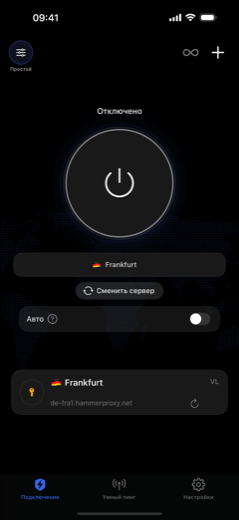
One-tap connect
A big power button, smart best-server pick, instant start.
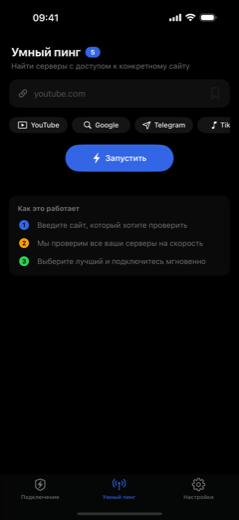
Smart ping
Test servers against a specific site and auto-pick the fastest.
Auto-reconnect
If a server goes down, the app switches to a working one — even in the background.
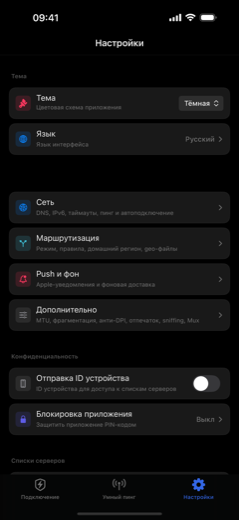
Kill Switch & Always-On
No traffic leaks outside the tunnel; the connection holds in background and across network changes.
Subscriptions
Add a subscription link — all servers load and stay updated automatically.
iPhone & iPad
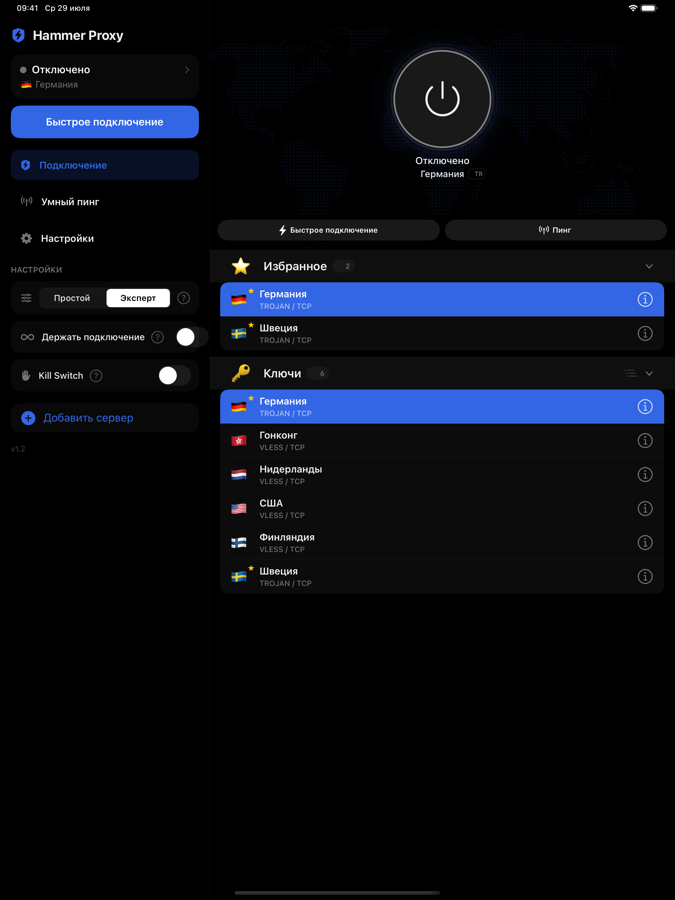
Native interface; on iPad, a control-center sidebar.
Supported protocols
A modern, reliable protocol stack, ready to use.
See it in action
Clean, focused, fast.
Documentation
Three steps to your first connection.
1 Install the app
- Open Hammer Proxy on the App Store and install it.
- On first launch, allow adding a VPN configuration (a standard iOS system prompt).
2 Add a subscription or server
- Tap “Add server list” and paste your subscription link (usually
https://…/sub/…). - Or paste a single key —
vless://,trojan://,ss://— via “Paste”. - Servers load automatically and the subscription keeps itself updated.
3 Connect
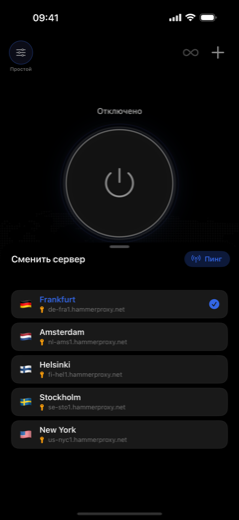
- Pick a server (or tap “Quick connect” to auto-select the best by ping).
- Press the big power button. You’re protected.
- Enable “Keep connected” so the link recovers in background and across Wi-Fi ↔ cellular.
Ways to import
Anything you can add to Hammer.
- Subscription URL. Paste an
https://…/sub/…link — the server list loads and stays updated automatically. - Config keys. Paste one or many keys:
vless://,vmess://,trojan://,ss://, Outlinessconf://, or an AmneziaWG / WireGuard.conf. - Tap-to-import links. Buttons that open Hammer and import for you — ideal for provider pages:
Subscription capabilities
What Hammer does with your subscriptions.
- Auto-update. The server list refreshes itself on a schedule.
- Best server & failover. Auto-pick the fastest by ping, and switch to a working server if one goes down — even in the background.
- Multiple subscriptions. Add as many as you like; servers are grouped and searchable.
- Encrypted links. Supports hidden “crypto” subscriptions (
hammer://crypt4/…) so the underlying address isn’t exposed to the user. - Usage & expiry. Shows data used, total, and expiry date when the provider reports them.
- All protocols in one. VLESS/Reality, VMess, Trojan, Shadowsocks, Hysteria2, AmneziaWG, WireGuard.
- Provider branding. Your logo, background and subscription name are read straight from the feed — see For providers.
FAQ
The essentials, briefly.
Where do I get servers or a subscription?
Hammer Proxy is a client: it connects to your servers. Get a subscription link from your provider or use your own servers, then add the link in the app.
Do you collect logs?
No. The app has no backend of its own: configurations are stored locally on the device, and the subscription loads directly from your provider’s server.
Do WhatsApp and FaceTime calls work?
Yes. Traffic (including IPv6 and calls) goes through the tunnel; messenger calls work reliably.
A server stopped loading sites — what do I do?
Enable “Keep connected” — if a server is unreachable the app switches to a working one. Or pick another server manually or via Smart Ping.
Is iPad supported?
Yes, natively. On iPad the control sidebar is on the left, connection and the server list on the right.
Ready when you are.
Free on the App Store, for Android and Mac. Your servers, your rules.
Android 8.0+ · version 1.3.5 (build 18) · SHA-256 c0c03098c3c6dc80…
macOS 12+ · Apple Silicon & Intel · version 1.3.5 · SHA-256 3fcd459fd880c0d1…